An update on my writing ambitions
Written on by Bram Esposito in life · 398 words · 2 min read
Read more: An update on my writing ambitionsIt’s been a long time since I last posted to this blog.
Although I often thought about posting, I have not come around to it. And that got me thinking about what stops me from posting.
These are a few topics that came up:
- Stage freight
I’m very aware of the fact that I’m publishing my thoughts. 20 years ago I was less hesitant to post. Times have changed, and in the era of social media it became clear that sharing things online is not without consequences.
I often wonder: who’s waiting for this photo, this remark, this post. Isn’t my writing pretentious, am I being well-informed. How is my language, how do I express myself. - Time
A lot has happened in the last months. A lot that could serve as inspiration for writing actually. I’ve read a lot of good things, had good conversations. And while I’d love to share more of what keeps me busy, at most times I don’t feel the energy to keep myself focused on writing. I would write a quick draft, think ambitious thoughts and then never return to it. Or while writing, start to feel kind of bored and want to stand up and walk away from it. It’s some kind of performance anxiety or fear of the unknown. Will I finally be able to break through and publish something? - Intention
And while we’re on the topic of time: while my inner dialogue is writing page-long pieces during the day, in the evening I’m way too often doomscrolling Reddit or Mastodon. Not a single synaps is launching the suggestion to start to write.
After forcing myself to observe this behaviour, I realise I’m often led by impulse instead of intention.
It’s motivating that just having the intention to write can already lead to these insights. - I am a project starter
Not a project finisher. Apparently.
It’s with a reluctance that I admit it. But I have to be honest with myself. And knowing this, I might actually be able to focus on finishing things instead of jumping on the new interesting adventure.
This post has gotten quite personal. And that’s exactly why I wanted to write in 2025. To bring clarity in cloudy thoughts. Observe things and give direction.
If I succeed once this year, I’ll consider it a success 😉.
- Stage freight
New USB Drivers signed!
Written on by Bram Esposito in tech · 57 words · 1 min read
In: Certificates, Drivers, Hardware Development program, Microsoft, Signing, Toolsquare, Windows, workRead more: New USB Drivers signed!This was quite a trip. I finally managed to get the new, custom USB drivers signed!
Signing up for the
 Microsoft Hardware Development program, getting certificates, signing the drivers, it was not easy.
Maybe I’ll update this post later with more information.Today, I’m just happy this worked and we can finally start rolling out to customers!
macOS Tahoe astigmatism
Written on by Bram Esposito in tech · 9 words · 1 min read
Read more: macOS Tahoe astigmatism
These macOS Tahoe icons instantly give me
astigmatism haedacheFirst 3D print: success
Written on by Bram Esposito in tech · 48 words · 1 min read
In: 3D printingRead more: First 3D print: successAfter a few failures, I’m very happy with this final result:

3D printed air vent grill 

I was surprised to learn that you need 12 hours of printing for this size!
I had to experiment with the adhesion and ended up with a pretty big
raft around the print.First 3D print
Written on by Bram Esposito in photo, tech · 31 words · 1 min read
In: 3D printingRead more: First 3D print
I’m incredible late to the game, but this is the first time I’m printing something myself. I did order at print shops before with disappointing results. Fingers crossed for this print!
It’s been a while
Written on by Bram Esposito in life · 54 words · 1 min read
Read more: It’s been a whileAlmost 2 months without writing. Two months filled to the brim with work and non-work related stuff.
2025 is an exceptionally good, but also demanding year for us. Like annual rings on a tree, this year will be an extra wide ring, as a sign of exceptional growth.

Image from https://www.gorillasun.de/blog/radial-perlin-noise-and-generative-tree-rings/Thrifted clamps
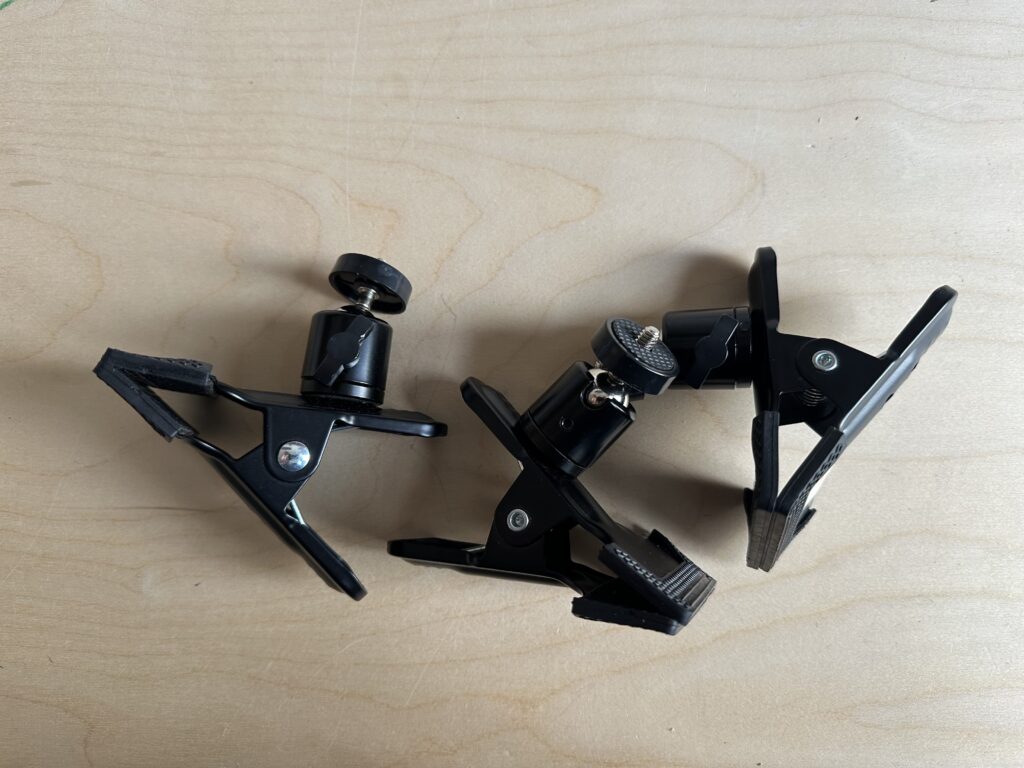
Written on by Bram Esposito in life · 17 words · 1 min read
In: thriftingRead more: Thrifted clamps
Thrifted these 3 clamps this week for € 1,20 each. I will be clamping all the things from now on!
Nuxt 3 public files
Written on by Bram Esposito in tech · 19 words · 1 min read
Read more: Nuxt 3 public filesRemember, if you have set a
srcDir, your publicdirectory needs to be within that srcDir.That’s all.
Should I move to a Hetzner VPS to improve WordPress speed?
Written on by Bram Esposito in tech · 52 words · 1 min read
Read more: Should I move to a Hetzner VPS to improve WordPress speed?Interesting thread on Reddit:
What makes WordPress websites super-fast nowadays?I plan to test drive
Hetzner and move away from DigitalOcean (moving to a European service seems like a good idea in these times) so maybe a good time to try to move some WordPress instances from shared hosting to a VPS.